Entertainment Genius
Opportunity
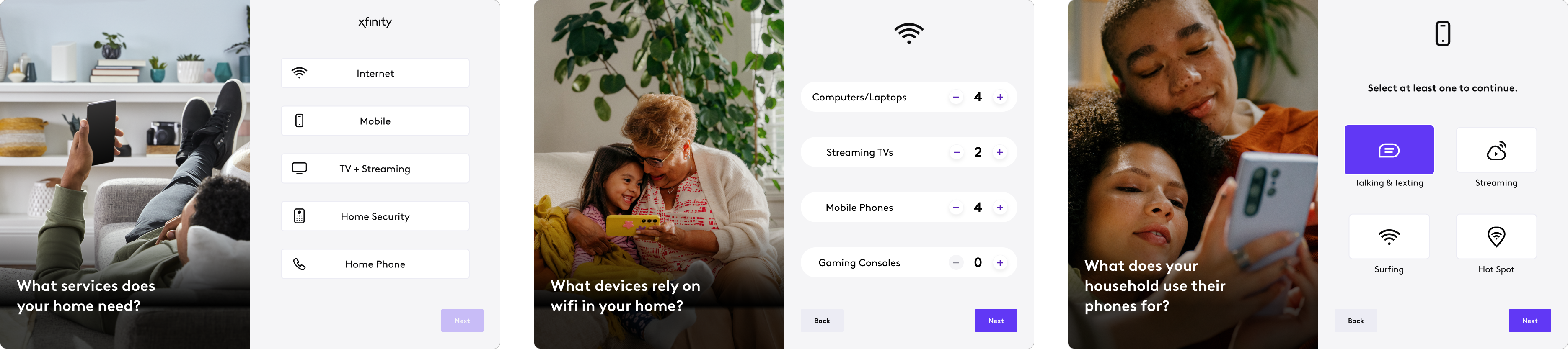
As part of a larger company-wide initiative to shift from a package-first to a content-first approach, we completely reimagined how customers explore entertainment options. Instead of overwhelming them with pricing and plans upfront, we:
- Analyzed Comcast’s entertainment packages to uncover key differentiators.
- Designed a new content-led journey that personalizes recommendations based on viewing habits.
- Built an intuitive in-store tool that connects customers with the right plan through the shows and content they love.
Role & Team
Creative Team
- UX Designer (myself)
- Associate Creative Director, Interactive Retail
- Creative Director, Interactive Retail
Dev Team
- Technology Director
- Creative Technologist
Collaborators
- TV Editorial Director & team (for content strategy)
Stakeholders
- VP, Digital Experience Design
- VP, Retail Marketing and Merchandising
Deliverables
✅ Intelligent user flow & decision tree to match users with the best plan based on their preferences.
✅ A content-first UI designed using Xfinity’s enterprise design system for consistency.
✅ A native iPad app built for in-store use, enabling seamless interaction between customers and sales consultants.
Tools Used

Approach
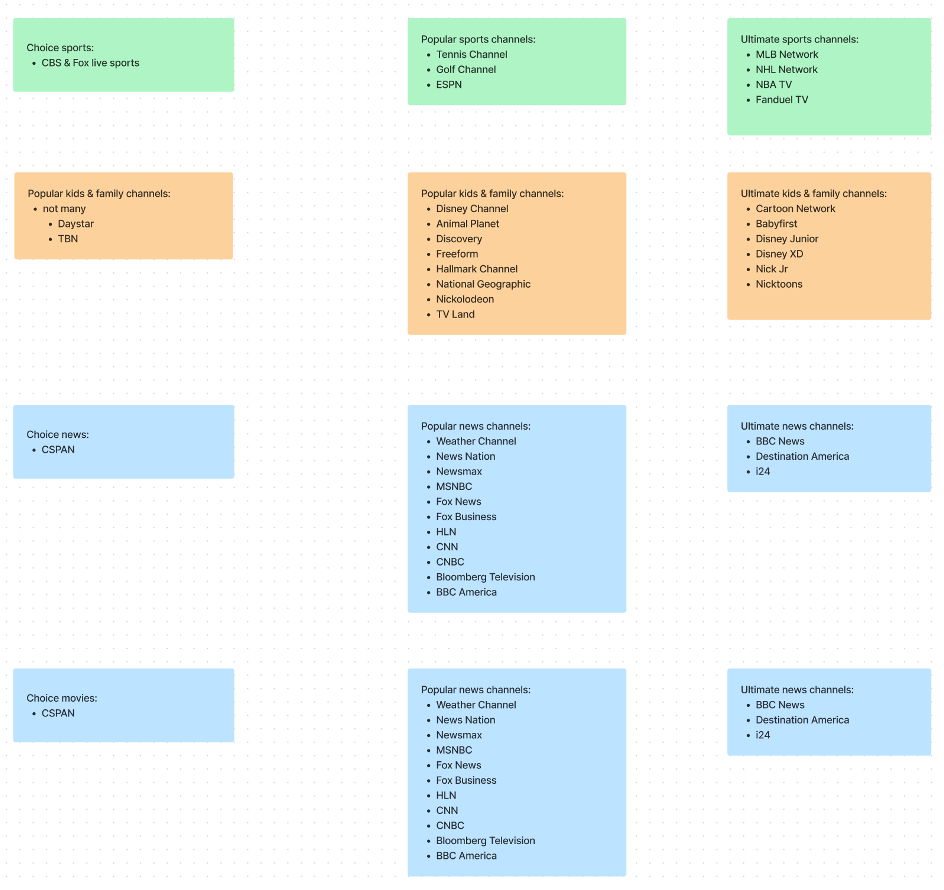
Content Logic
Plans
- X1 Cable
- Choice TV
- Popular TV
- Ultimate TV
- NOW TV
Add-Ons
- Premium Channels
- Streaming Subscriptions
- Xumo
- Xfinity Stream App
Designing a Content-Led Experience

Smart Content Management (CMS Design)
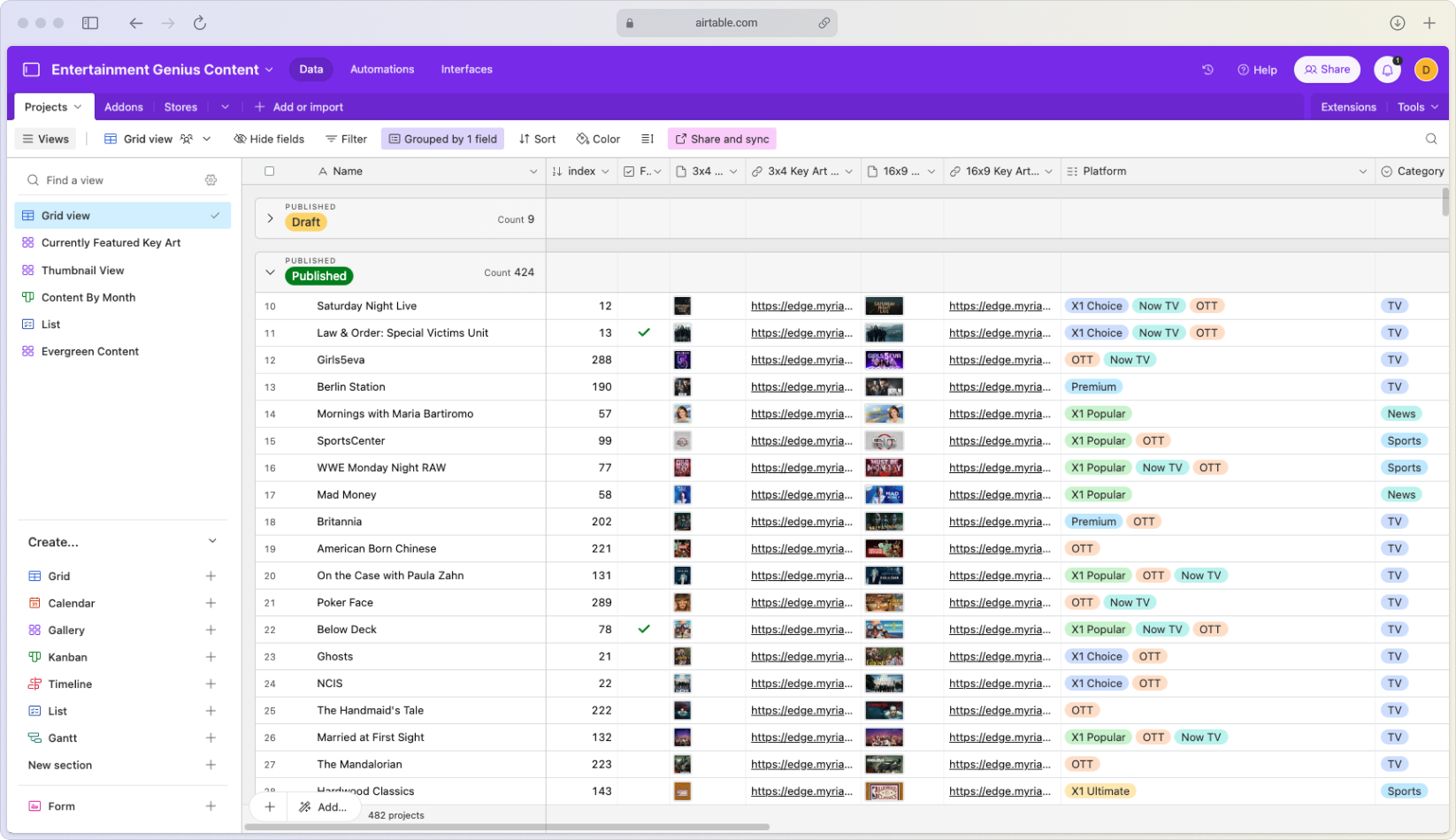
We collaborated with the editorial team, who provided a monthly content spreadsheet. To streamline content integration, I:
- Migrated the data to Airtable, transforming it into a dynamic CMS.
- Used key metadata (title, key art, platform availability, streaming service, and category) to drive personalized recommendations.
- Designed an experience that matches users to plans based on what they watch, how they watch, and their household’s preferences.

Decision Tree & User Flow
Since there was no existing automated way to match users to plans, we built a manual decision tree based on two primary factors:
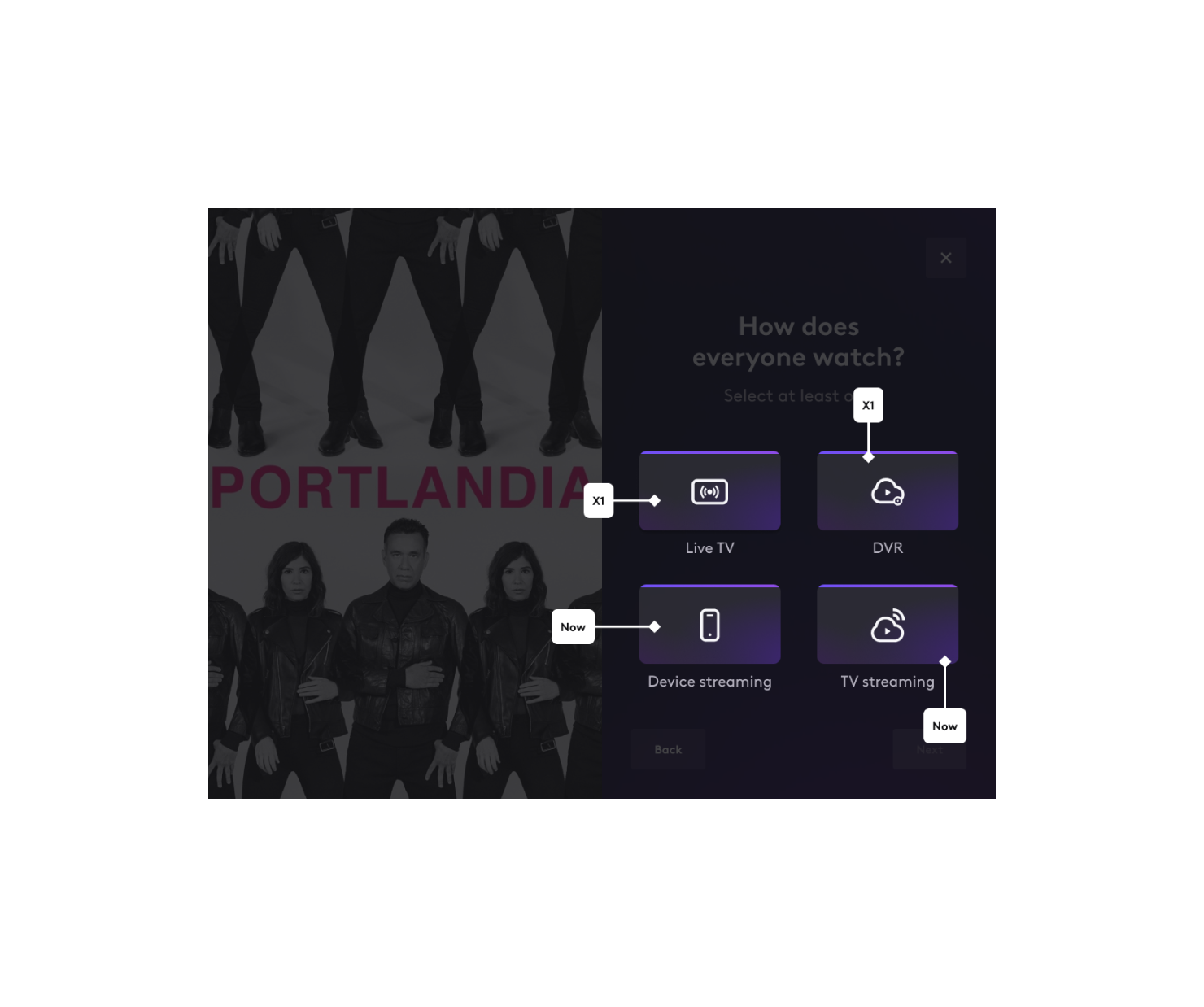
1️⃣ How they watch (Live TV, DVR, streaming, or on-the-go) → Determines plan type.
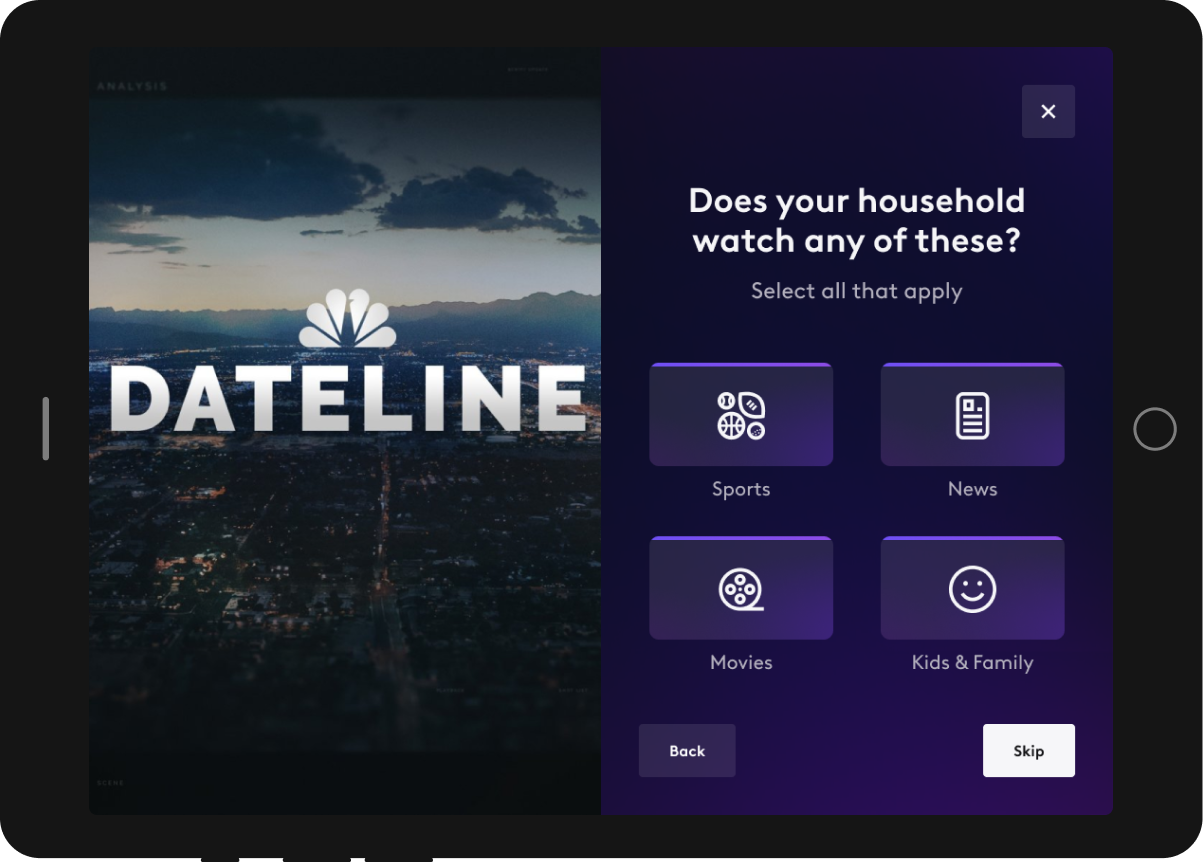
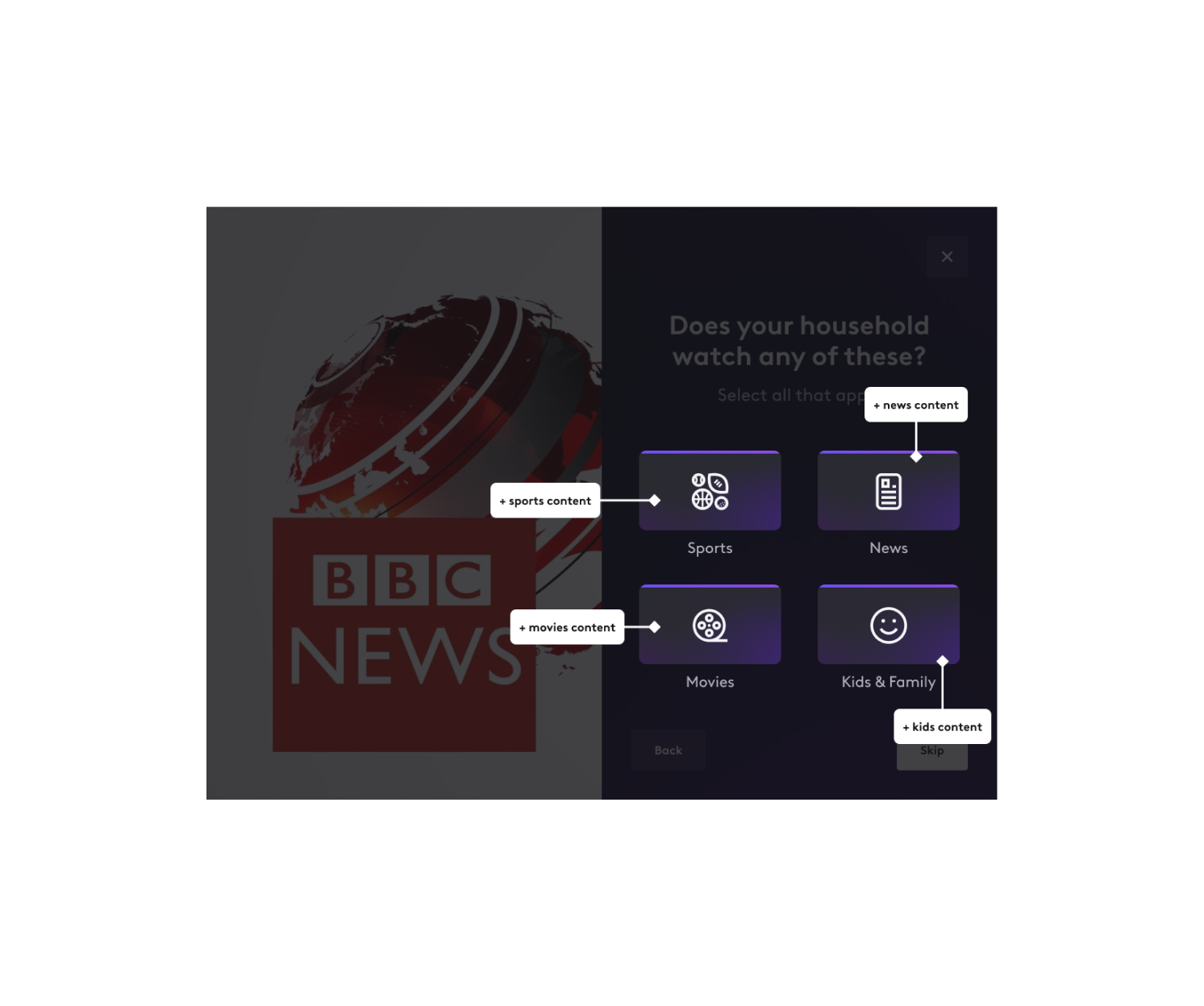
2️⃣ What content matters most (sports, news, movies, kids’ shows, etc.) → Filters available plans.
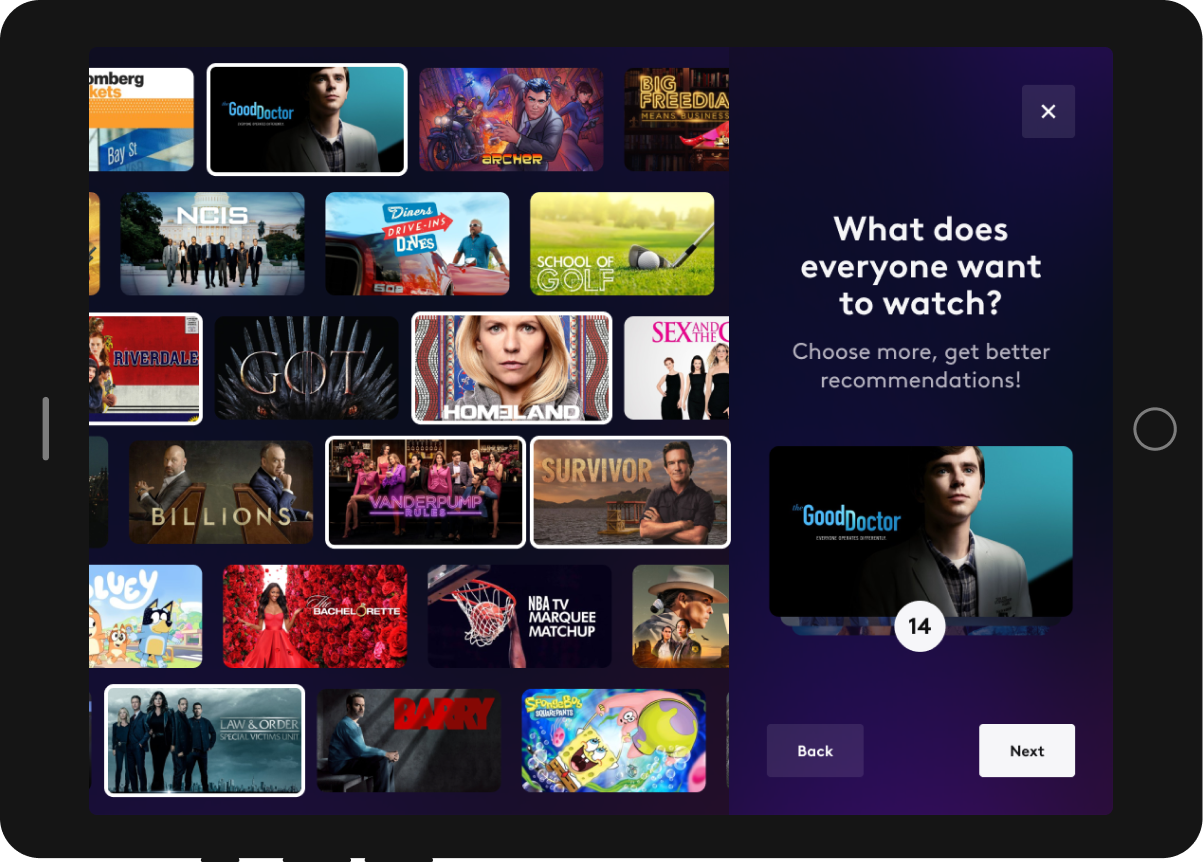
From there, users select specific shows they care about, and the system recommends a package that includes all their must-have content.

Visual Direction
Existing Streaming UIs
Design Explorations
Final Direction
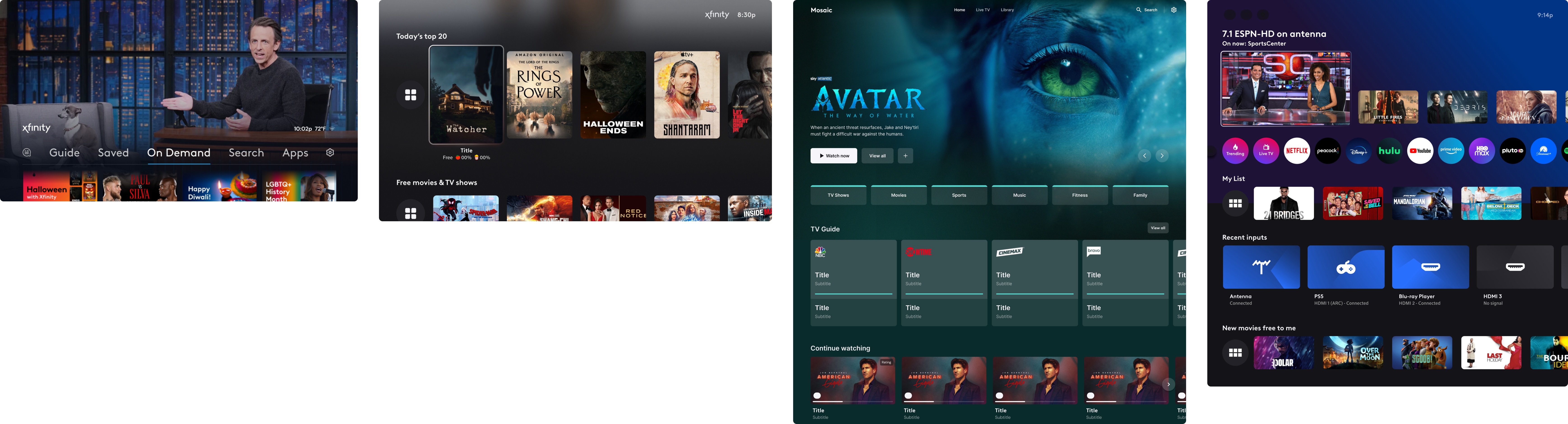
At the start of this project, we explored multiple design approaches, including:
- The Xfinity native app
- The Xfinity website
- Various TV streaming UIs
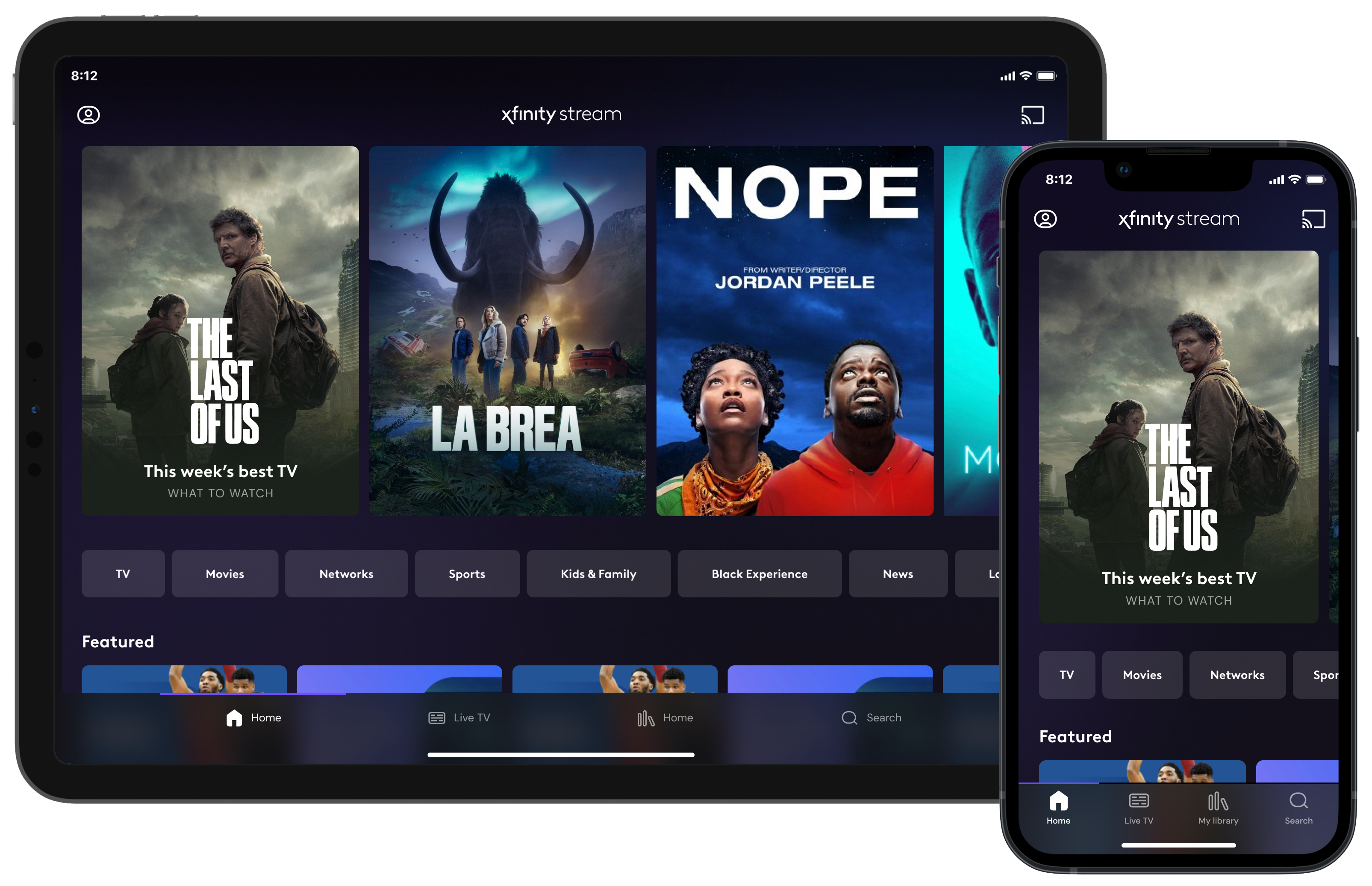
- The Xfinity Stream app
Ultimately, we chose to model the experience after the Xfinity Stream app because it closely aligned with our use case—an iOS-native streaming interface with brand-approved guidelines.
Xfinity Stream App
Early Entertainment Genius
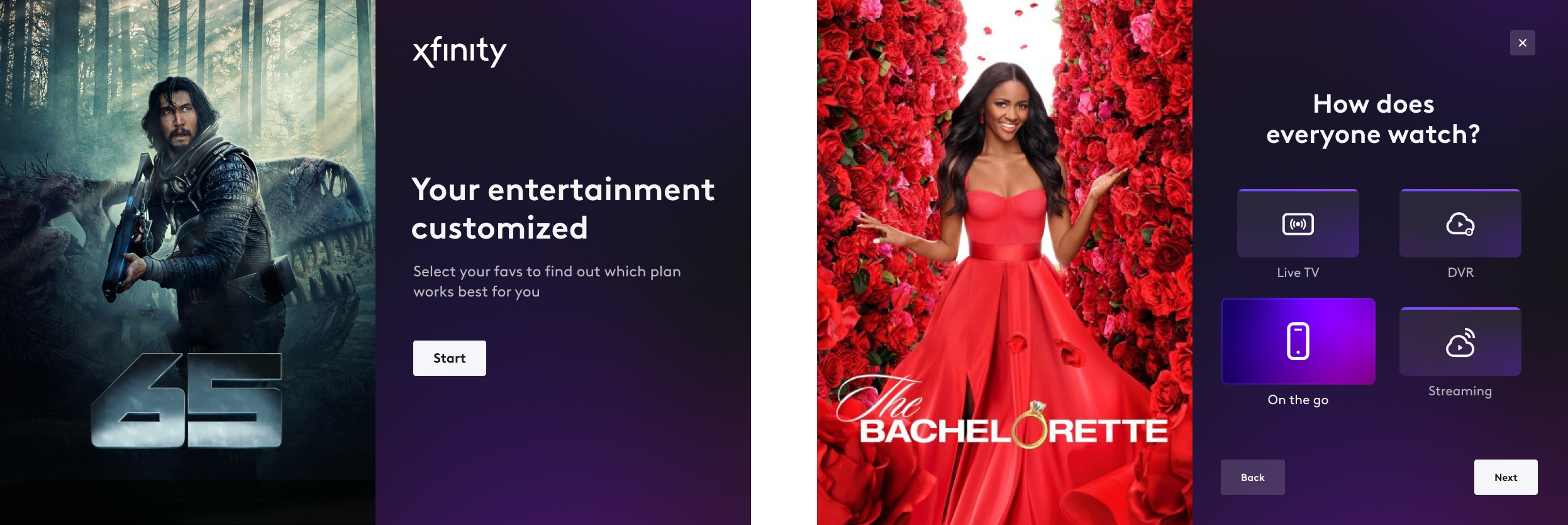
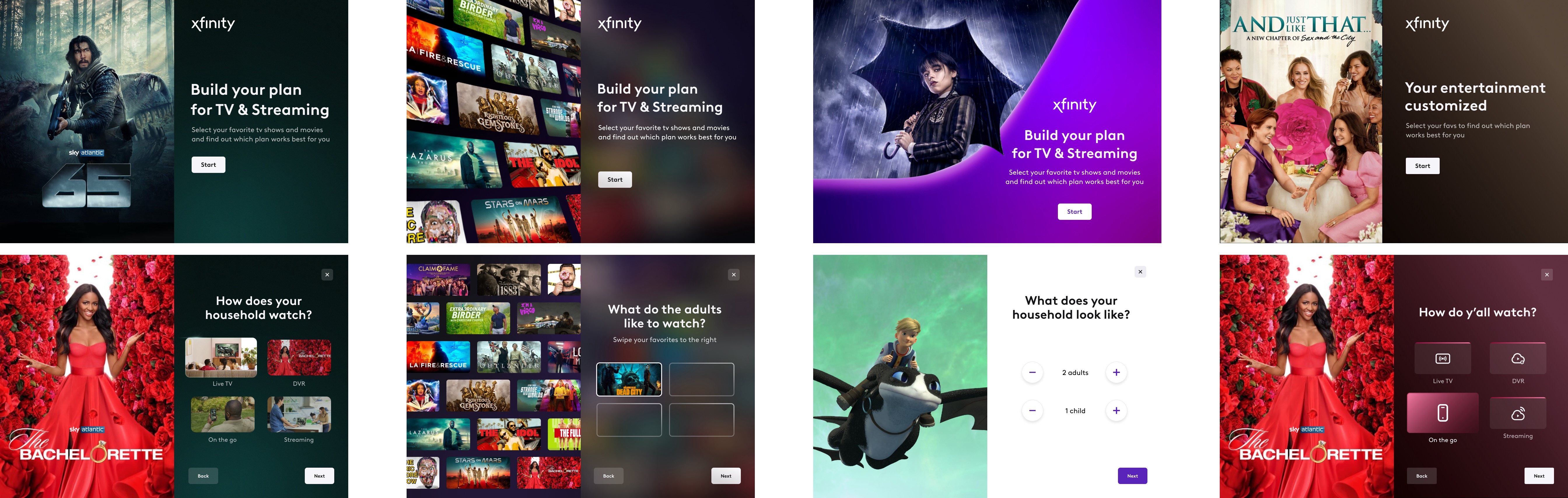
User Experience: Connecting Customers to the Right Plan

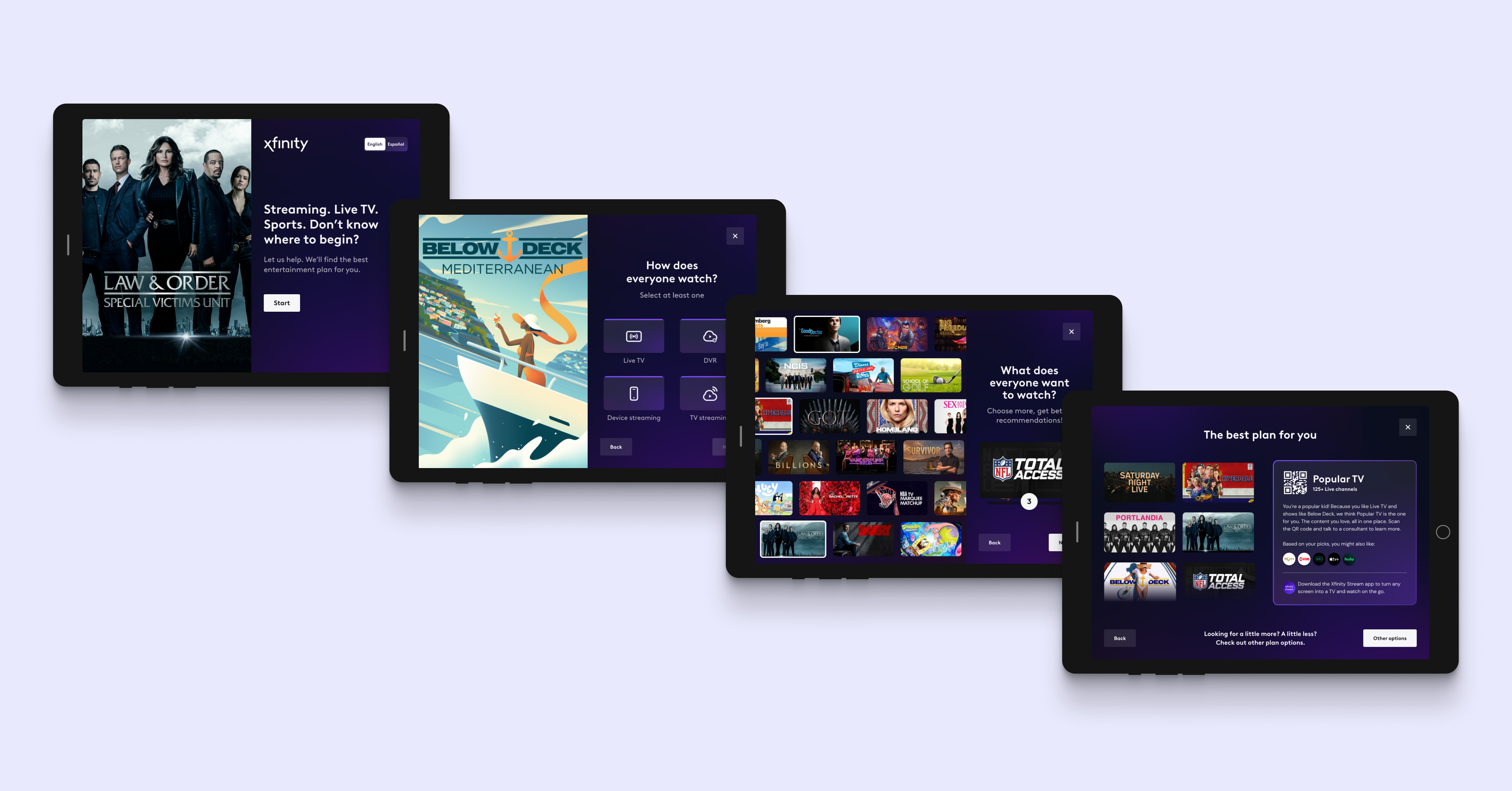
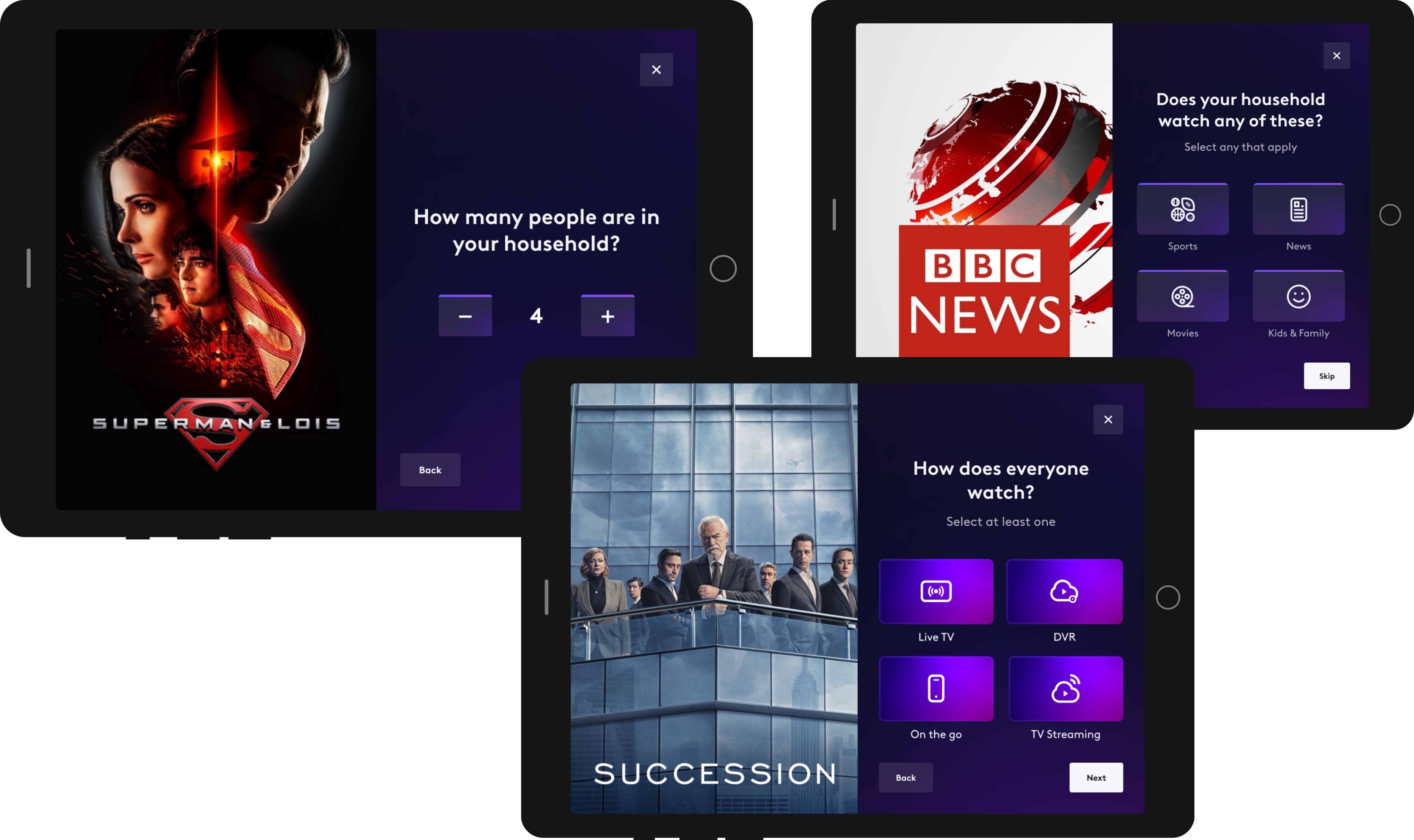
Step 1: How Do You Watch?
- The Xfinity Stream app for on-the-go viewing.
- Xumo (a streaming box) for those who prioritize streaming.
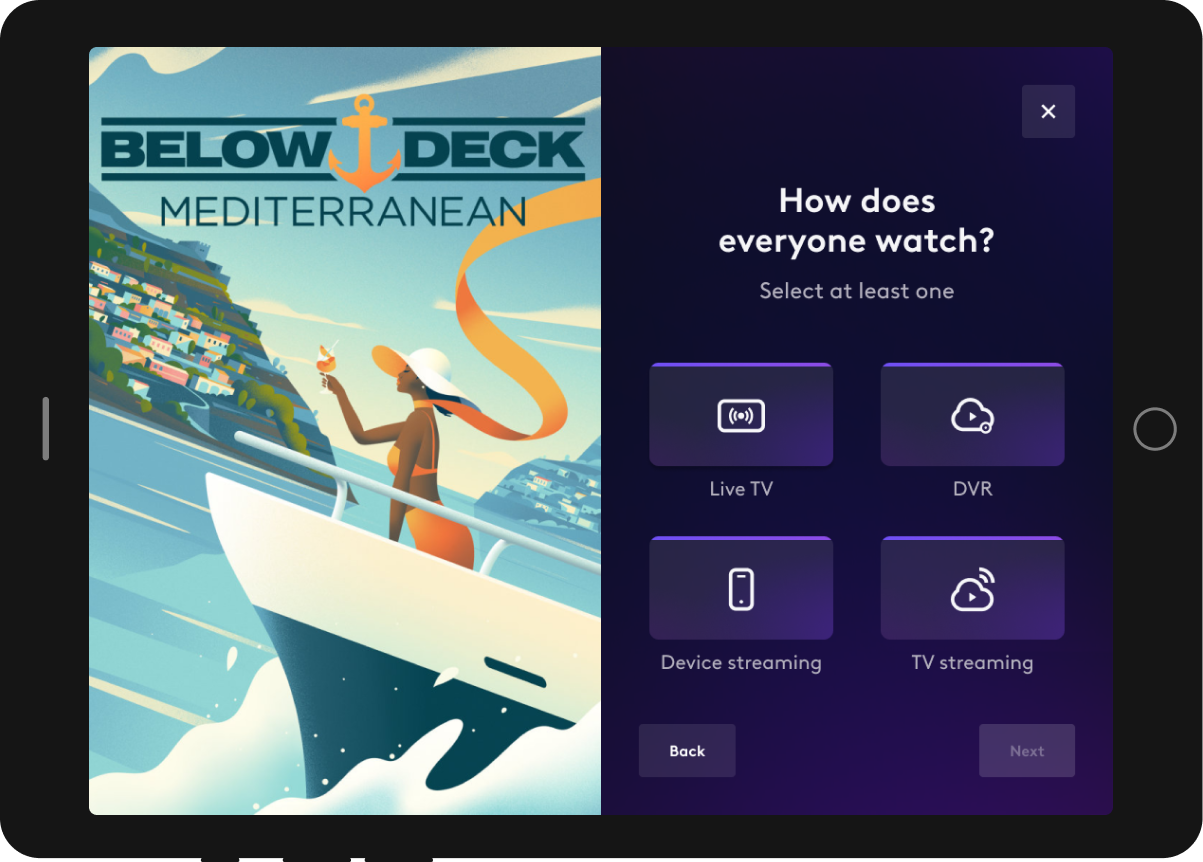
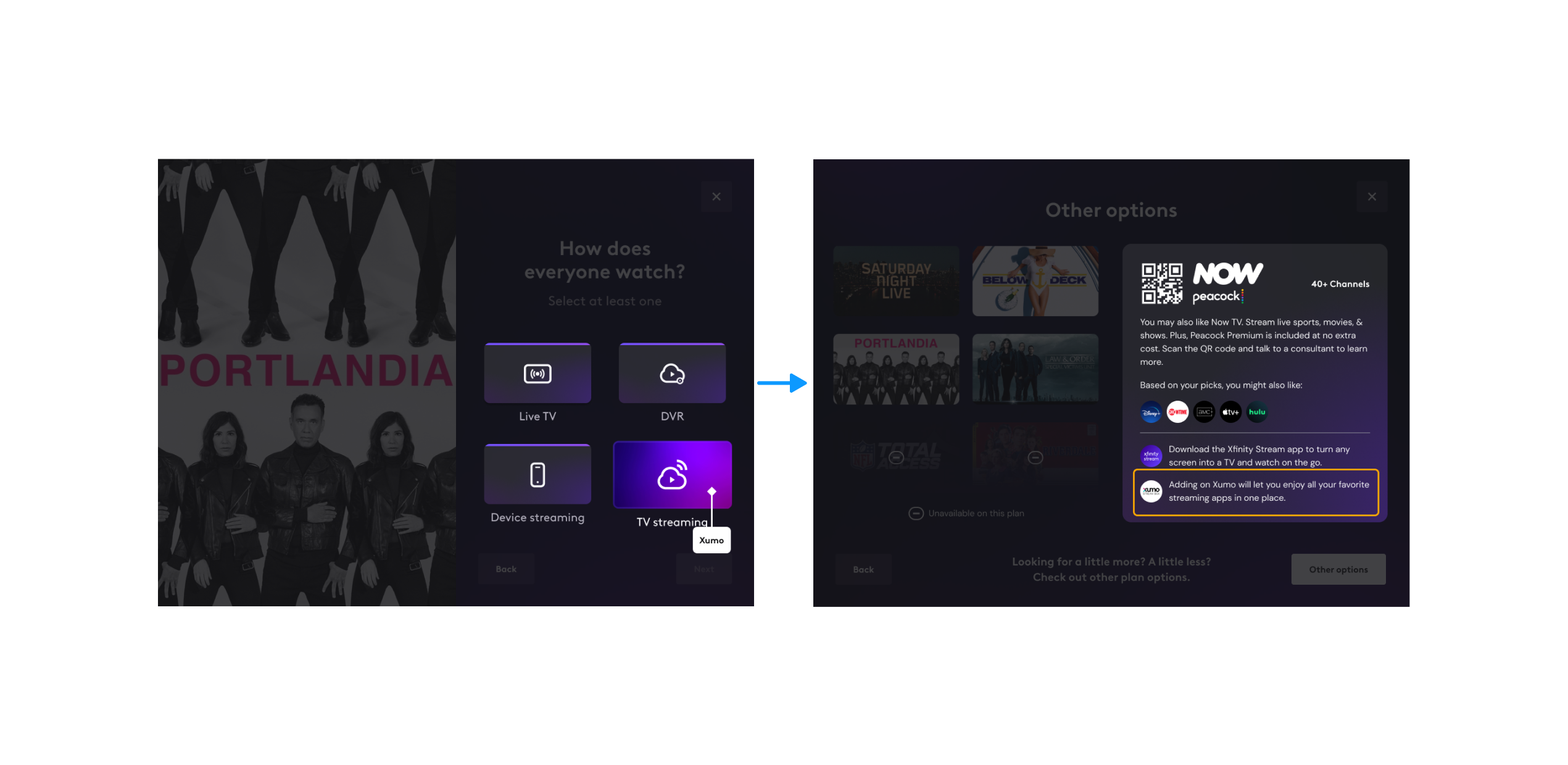
Step 2: Does your household watch any of these?
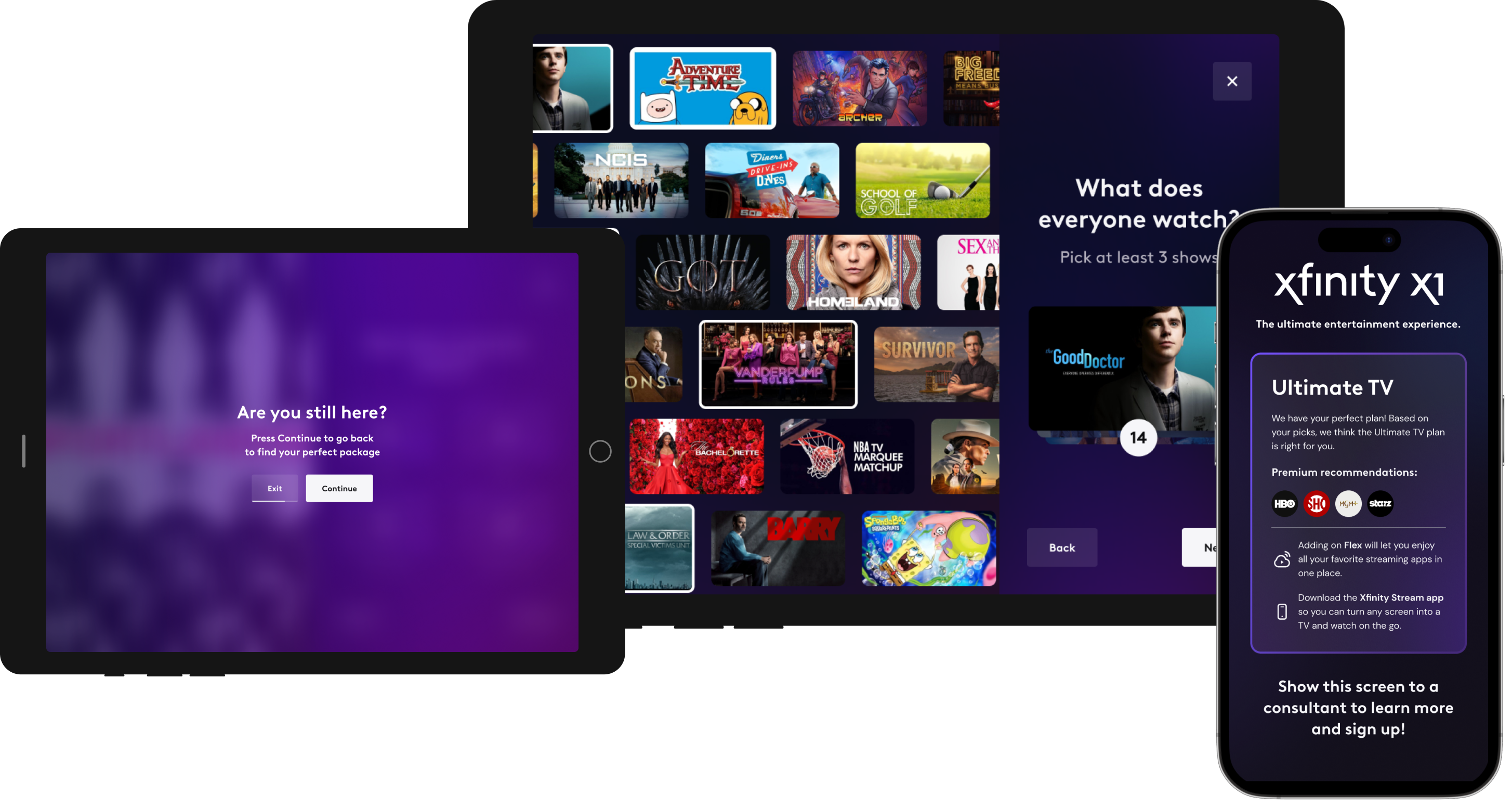
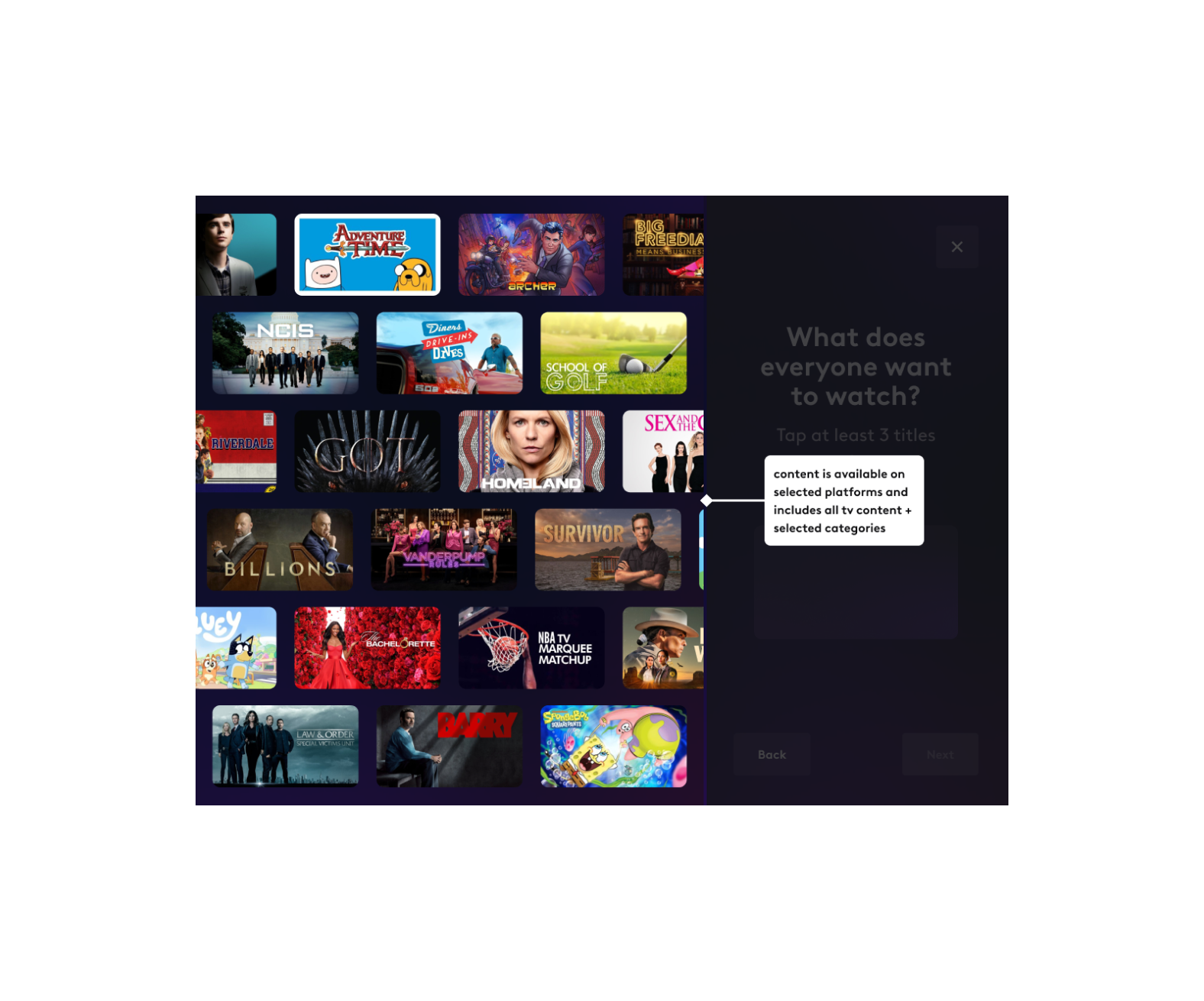
Step 3: What does everyone watch?
- Their watching habits (Live TV vs. Streaming).
- The categories they selected (e.g., sports, news).

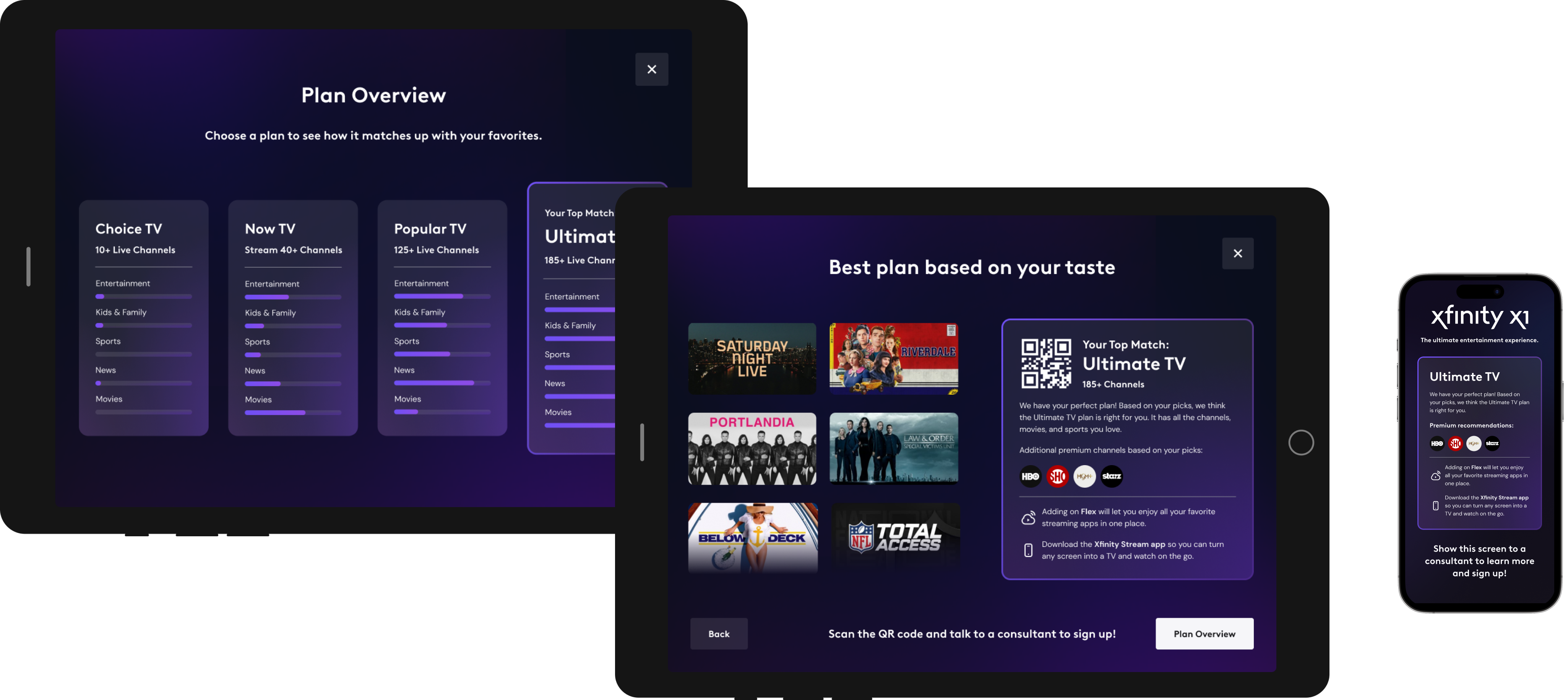
Step 4: Plan Recommendation (Resolve Screen)
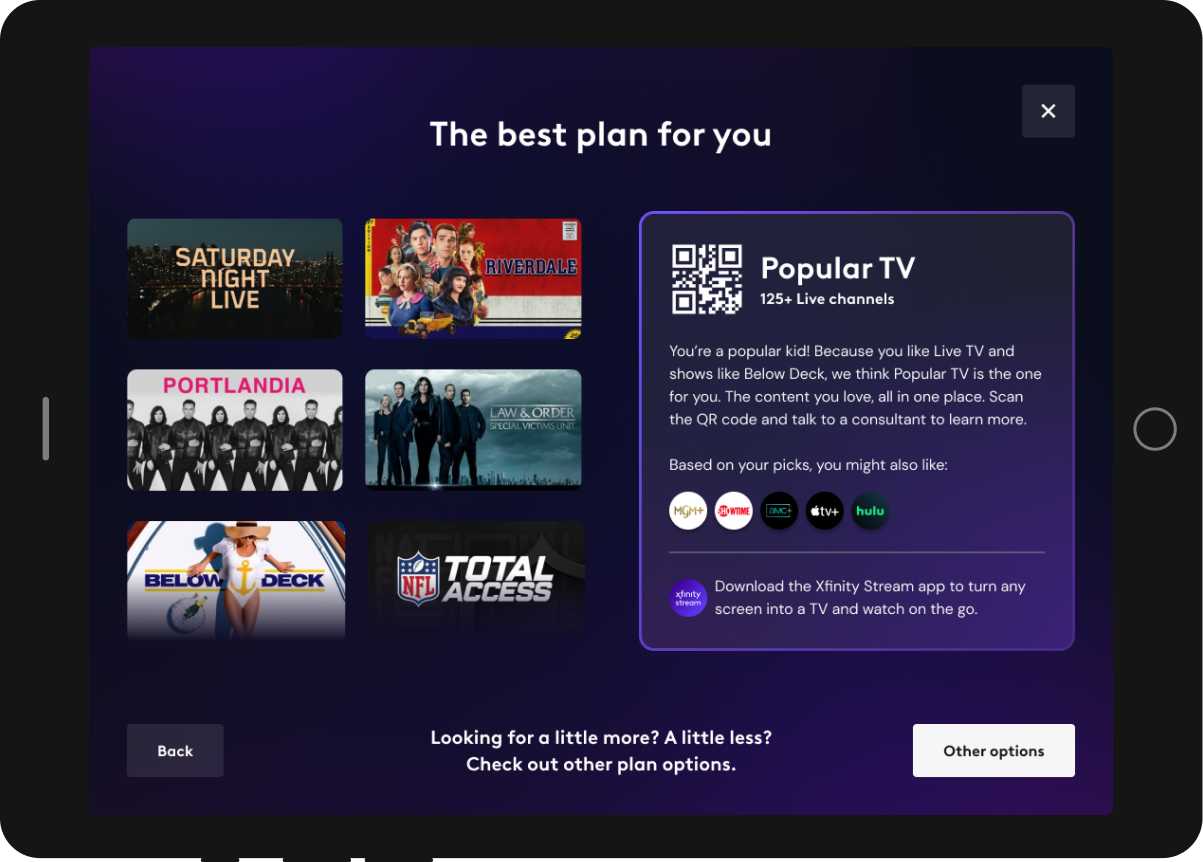
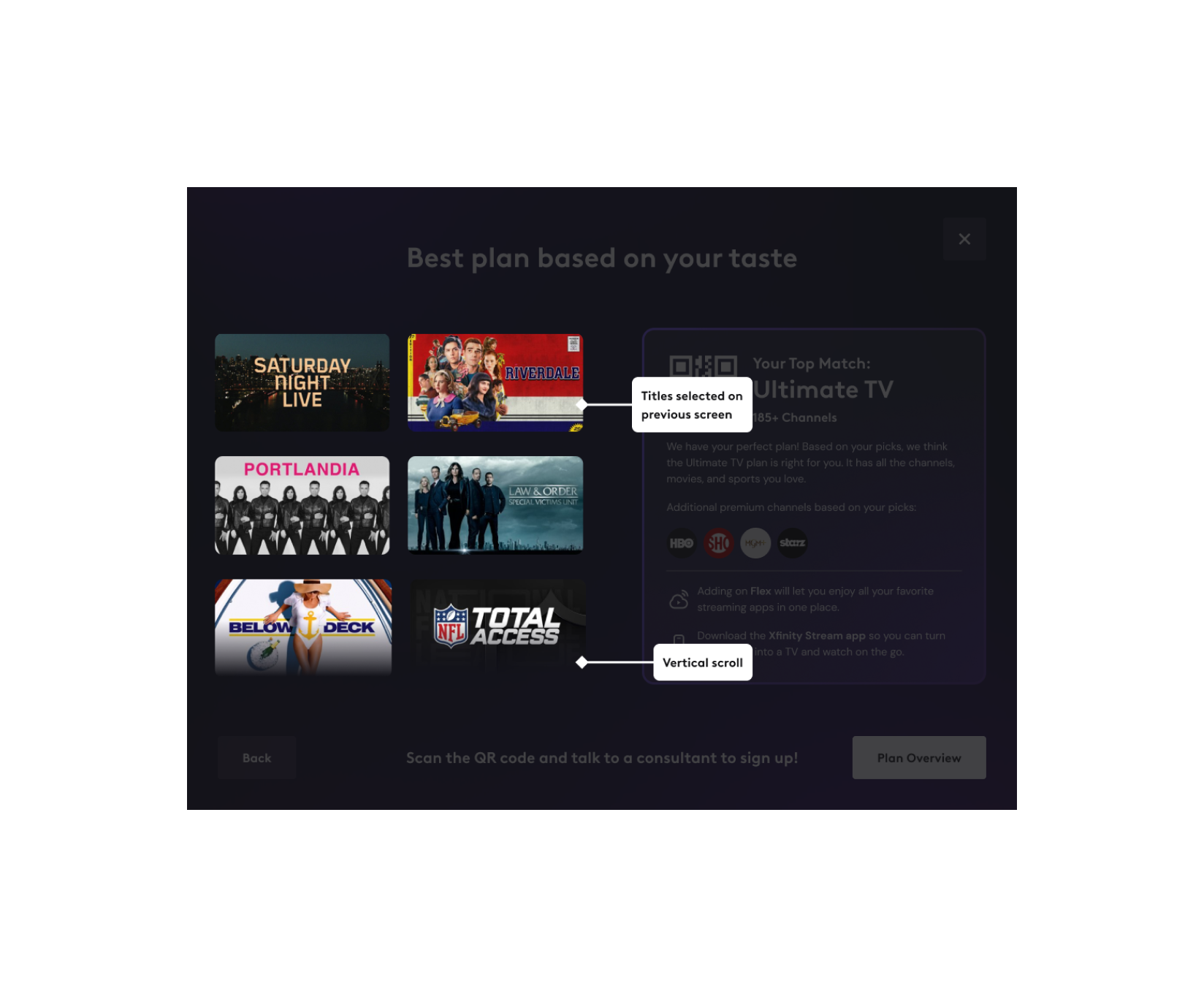
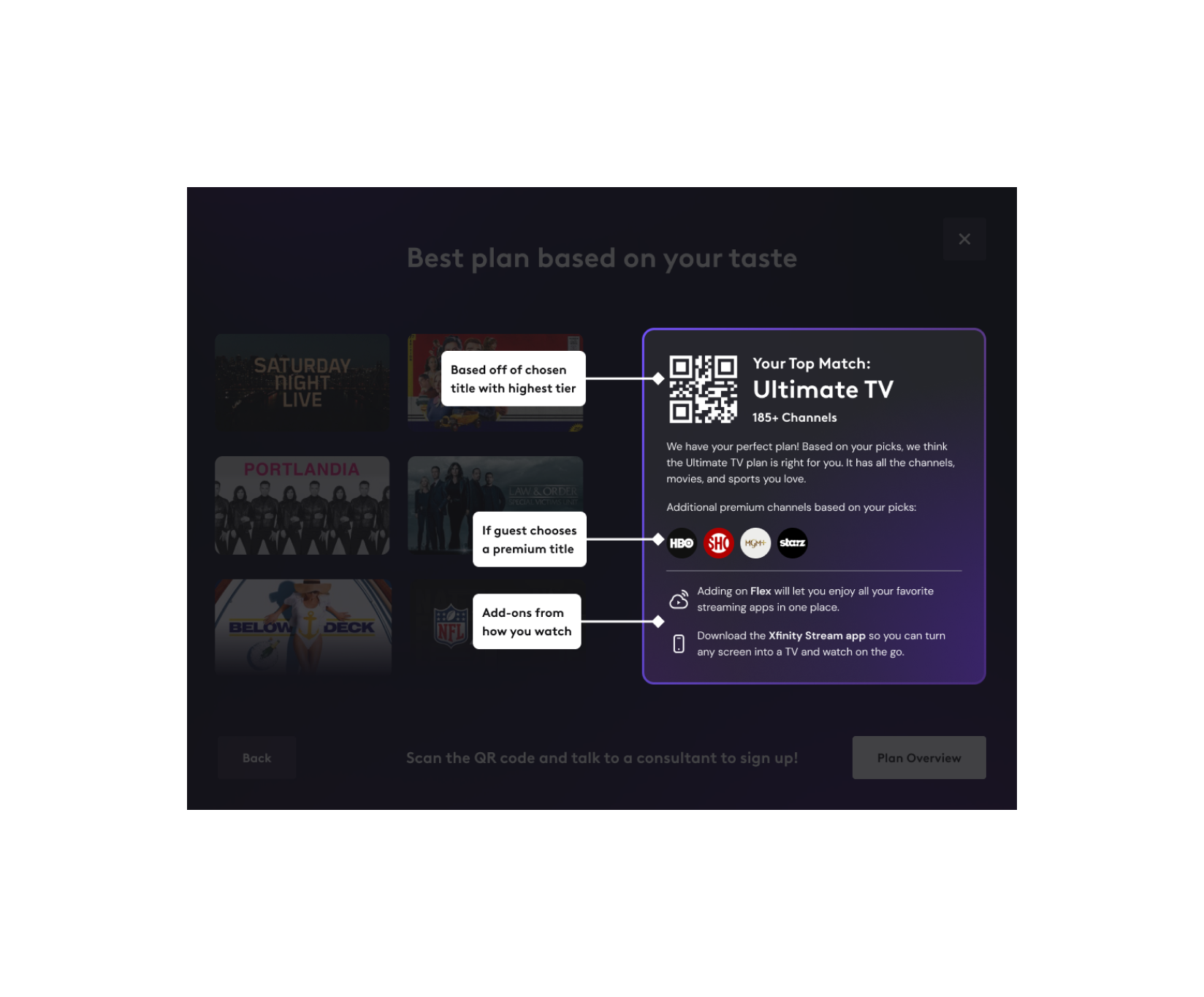
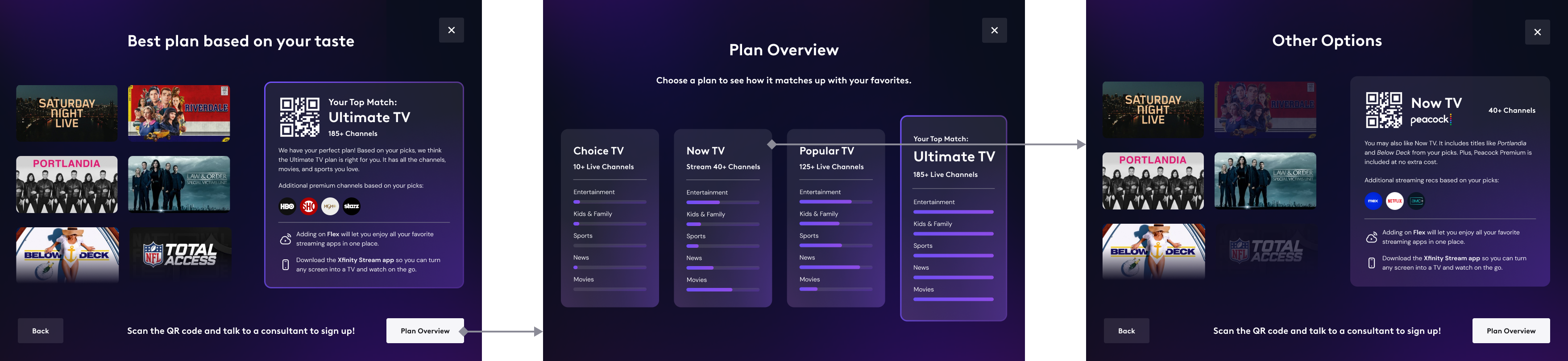
One key insight from in-store testing was that customers distinguish between:
✅ Must-have content (dealbreakers).
🔹 Nice-to-have content (bonus options).
This distinction was crucial for building customer trust, so we designed the UI to make it crystal clear which plan included their essential shows.
Impact
Leading with Content, Not Packages
By flipping the traditional approach—starting with content instead of plans—we:
- Created a more engaging and intuitive experience.
- Helped customers discover the right plan naturally through their interests.
- Shifted the conversation from confusing pricing tiers to exciting entertainment options.
Driving Sales & Improving the Customer Journey
📈 Showcased Comcast’s vast content library in a more user-friendly way.
🎯 Simplified the plan selection process, making it easier for customers to find the right fit.
💰 Enabled a seamless in-store sales handoff, jumpstarting the subscription process.
Next Steps
🚀 Develop a full buy-flow, replacing the manual sales consultant handoff.
📱 Expand the experience beyond in-store iPads to the website, mobile app, and streaming platforms.
📡 Adapt the model for other Xfinity services, such as internet and mobile plans.
Future Expansion to other LOB